RRoof

Your whole guesthouse in view, from the rooms to the paperwork for the council

Atrium is a panel for guesthouses and small hotels with 5 to 60 rooms. You run rooms, bookings, guest bills, housekeeping and the kitchen from it. Instead of a feature list, here is your building, with everything where it really happens. See if it looks like yours.

Take the lift: we start with the room floors

201Occupied202Free203Departs today204Occupied205Needs cleaning101Occupied102Departs today103Needs cleaning104Free105OccupiedReceptionEntranceRestaurantKitchenOfficeStorage
  • Free
  • Occupied
  • Departs today
  • Needs cleaning

1Room floors

Nobody walks the corridors asking whether room two is ready, because the floor map shows the same status

After checkout a room gets a needs-cleaning marker, so you can tell an empty room from one that is ready for a guest.
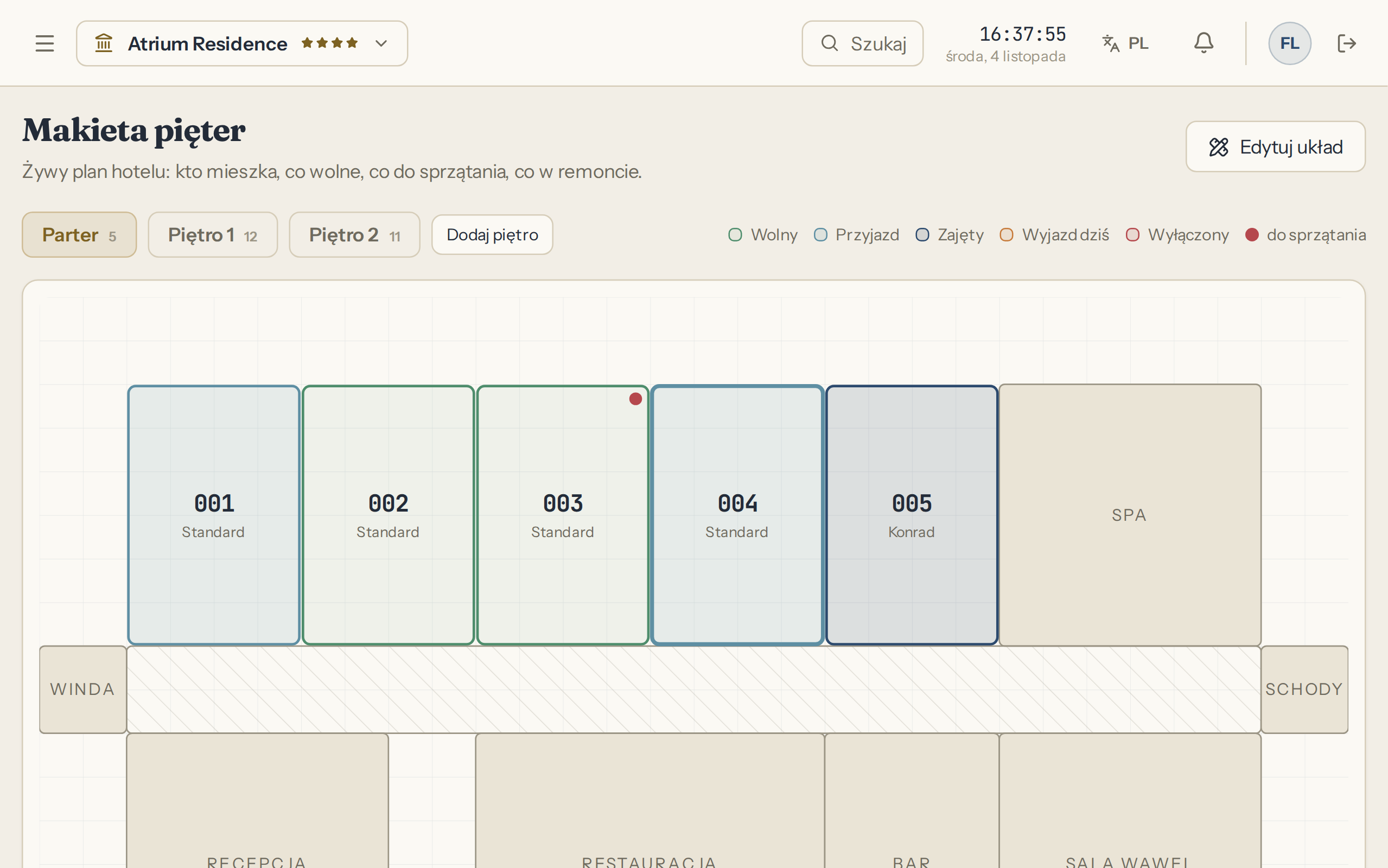
Atrium panel screen: Floor map

Floor map

Cleaners have their rooms on their phones and start with today's arrivals

The panel opens in the phone's browser, with nothing to install. After checkout a room joins the list by itself, you assign it to a person, and they mark it as cleaned. After a check it becomes inspected.
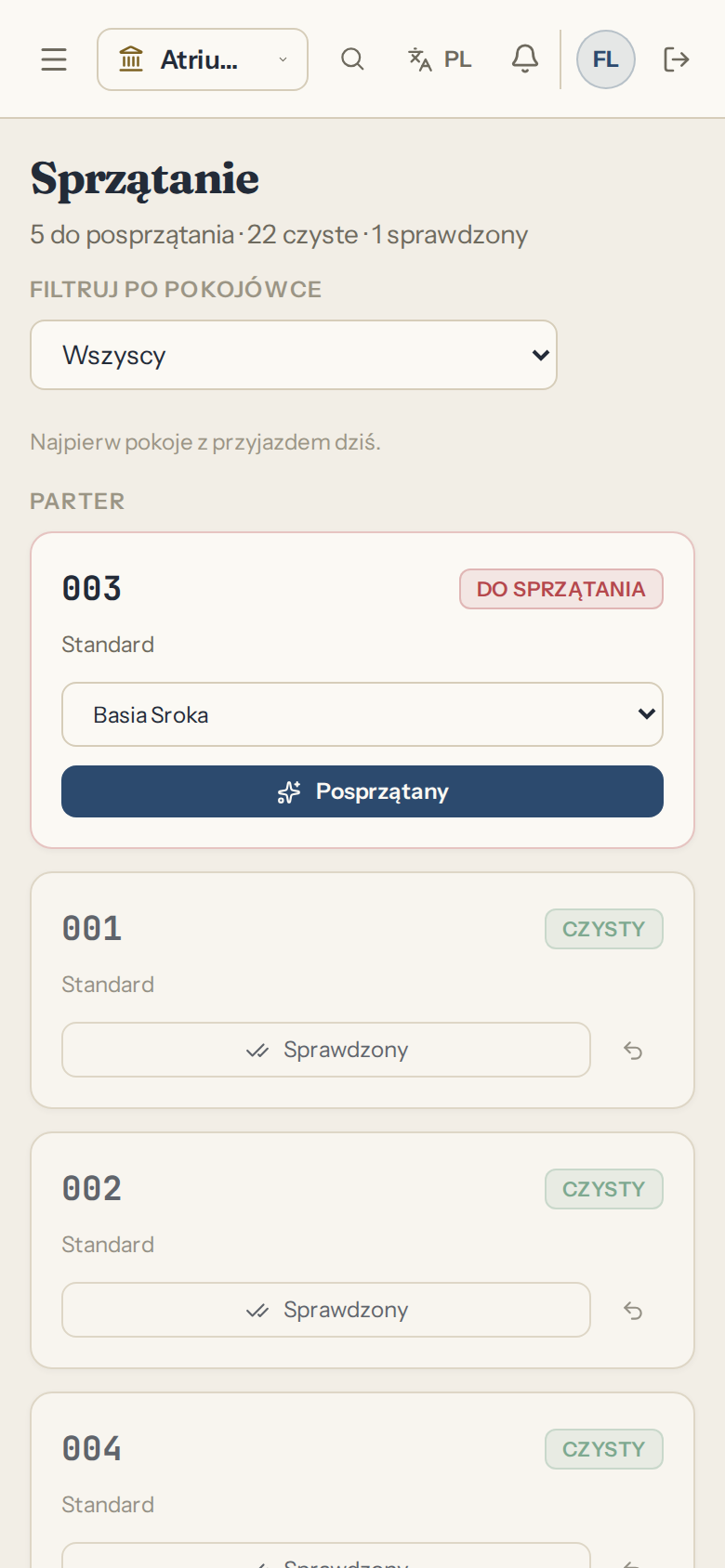
  • The list filters by cleaner
  • Rooms with an arrival today sit at the top
Atrium panel screen: Housekeeping

Housekeeping

The dripping tap reaches you in writing, not through a third person in the corridor

The guest writes from their phone through the guest portal, with no account. You create the link on their guest card and hand it over yourself. The request appears in the panel and you answer in the same thread. For your handyman you open an issue with a room and a priority, and when it closes you enter the repair cost.
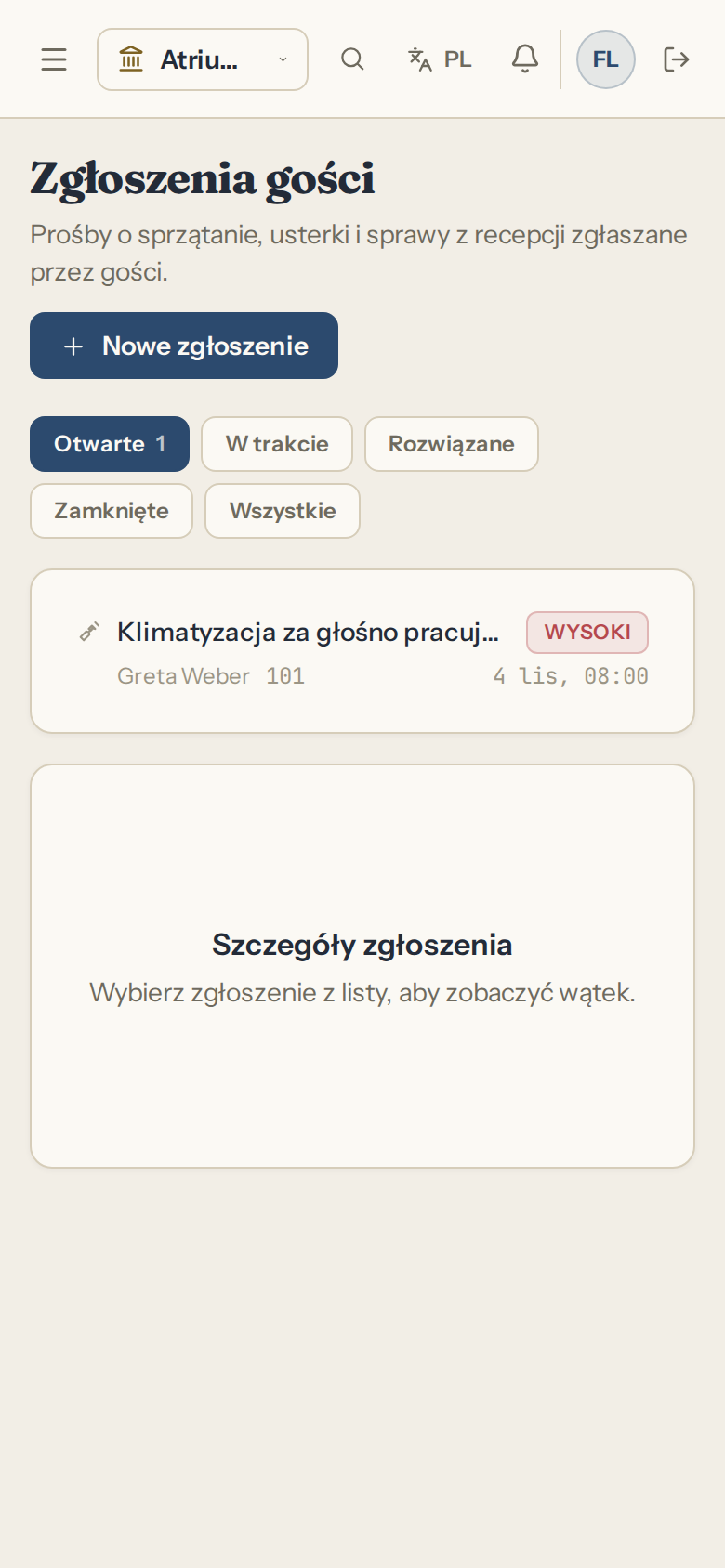
  • Priority: low, medium, high, urgent
  • An issue belongs to a room or to a common area
  • A renovation blocks the room for bookings over the dates you set
Atrium panel screen: Guest requests in the panel

Guest requests in the panel

Issue

Sample data

Dripping tap

Room
105
Priority
high
Status
in progress
Repair cost
entered on closing

GGround floor, reception

Who is arriving, which room they get, and whether that room is clean yet

The Today screen lists arrivals and the floor map marks their rooms. If a guest has stayed before, their card shows earlier stays and the notes you wrote. At check-in you fill in the address and country of residence, because the fee register and KT-1 need them. The panel stores no document numbers and no scans.
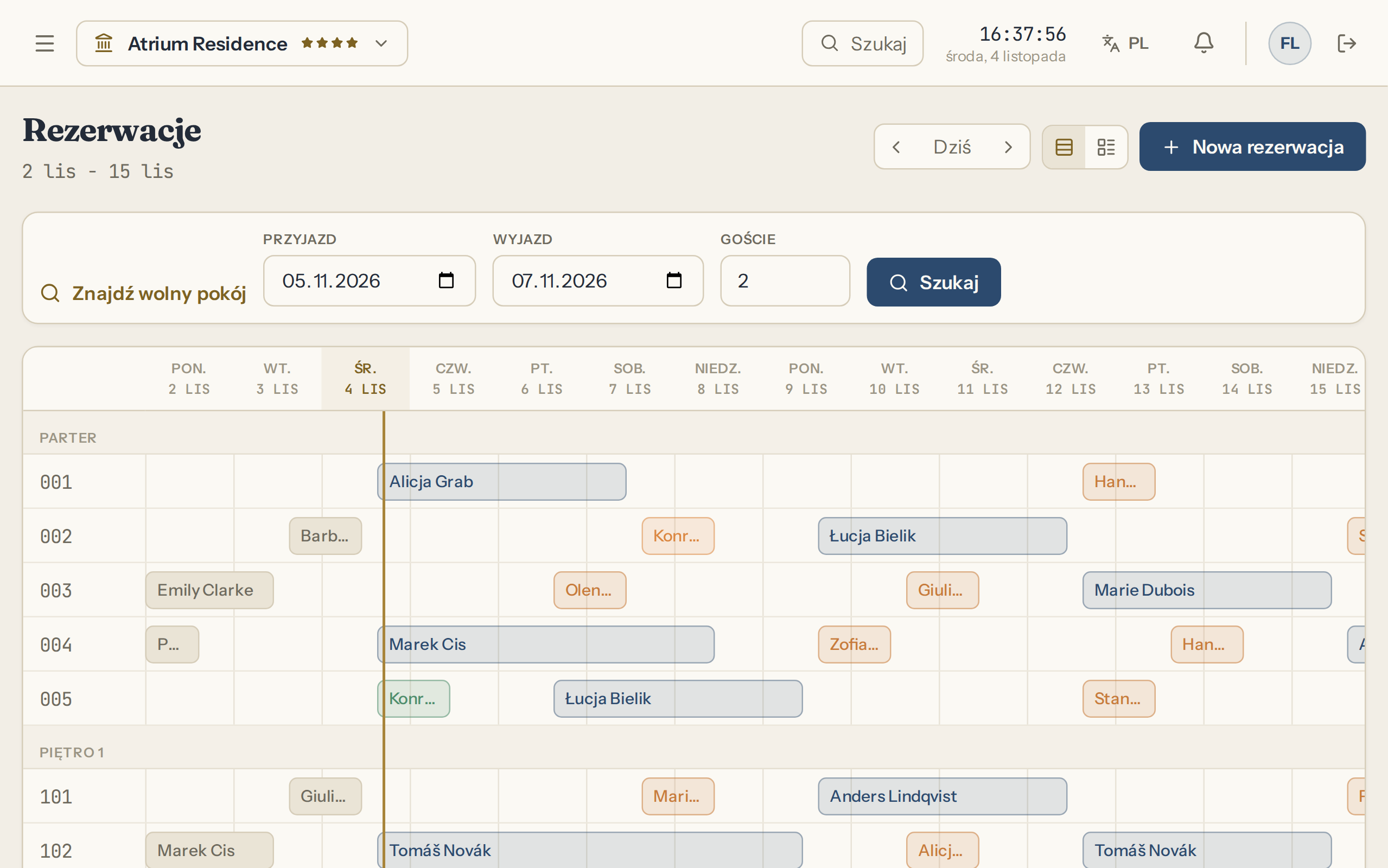
  • Registration card to print, with a space for a signature
  • Dates already taken? The panel names the guest they clash with
  • Check in with a button on the floor map or on the booking
  • The guest can complete online check-in beforehand, so at reception you only confirm the details
  • A booking for several rooms has one number, and each room its own check-in and folio
Atrium panel screen: Room chart

Room chart

The guest is at the desk and the bill is already added up

The folio holds the nights, dinner charged to the room, the deposit and the balance. Where the municipality charges a visitor fee, the panel adds it separately from your revenue, and the guest gets a payment confirmation. Checkout writes the entry into the fee register and moves the room to the cleaning list.

  • Open orders have to be settled before the guest can be checked out
  • Payments by cash, card or transfer, as a deposit, settlement or refund
  • The invoice is built from the lines of the same folio

Guest folio

Sample data
Room
102
Nights: 2
PLN 640.00
Dinner charged to the room
PLN 148.00
Deposit paid
-PLN 200.00
Balance
PLN 588.00
Visitor fee, outside revenue
PLN 12.00
To pay
PLN 600.00

The cash report says what came in by cash, card and transfer, and from whom

Daily takings split by payment method, and into payments on bookings and orders paid on the spot. Below is a list of entries with time, guest and room, so you look for a gap in the drawer by name. A mistake cannot be wiped quietly: a payment is reversed with a correction and a stated reason, and the trail stays in the activity history.
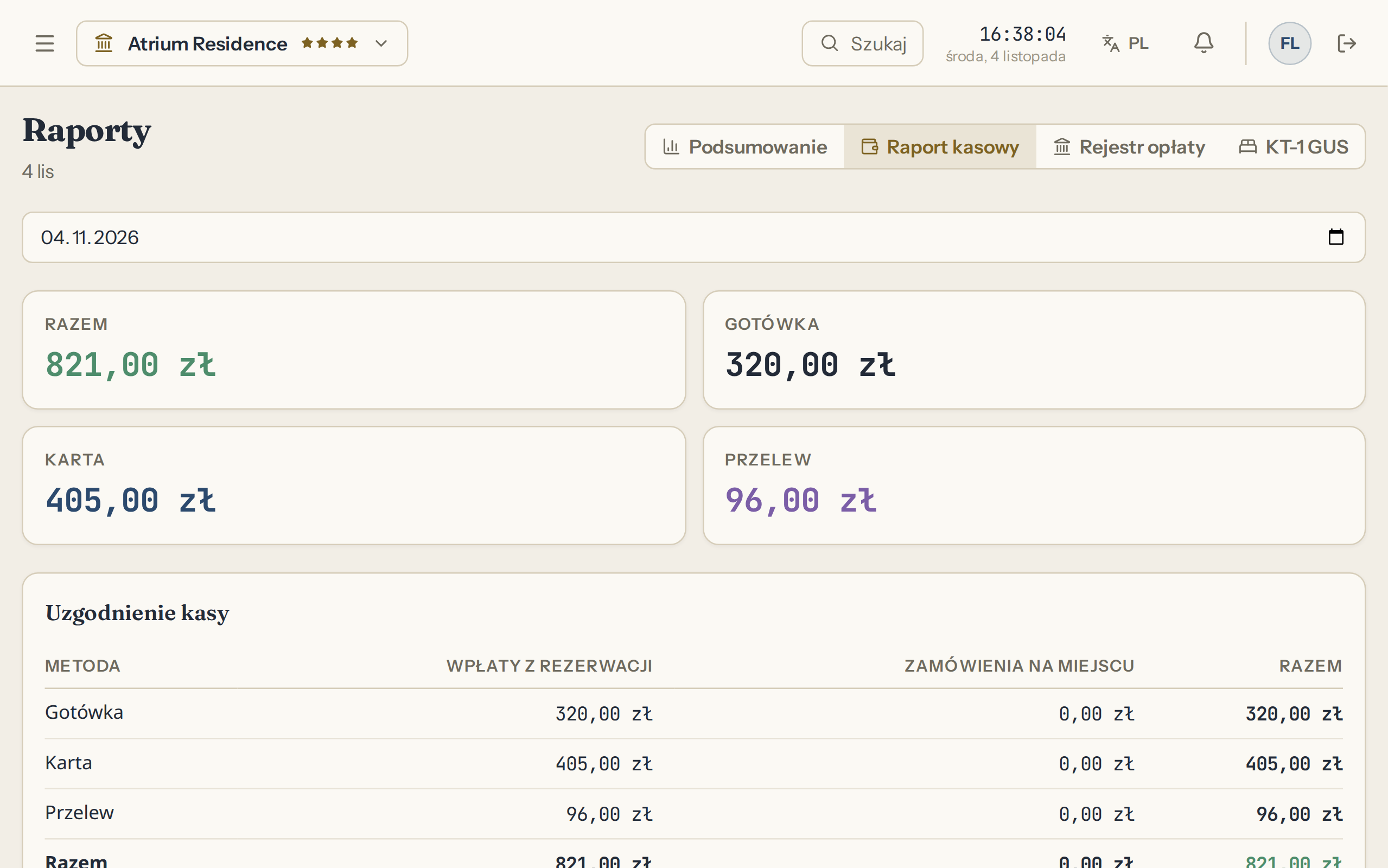
  • Closing the day marks overdue arrivals as no-shows
  • Only the owner and the manager see reports and cash
  • Revenue and occupancy day by day live in Reports, with CSV export
Atrium panel screen: Reports, Cash report

Reports, Cash report

EGround floor, front door

Someone books on your own website, and you pay no commission on it

The guest enters dates and party size, sees free rooms and the prices from your rate list, seasons and weekends included, and books without logging in. You get an email and the booking appears on the room chart marked Website. The guest gets a confirmation, and a reminder the day before arrival.
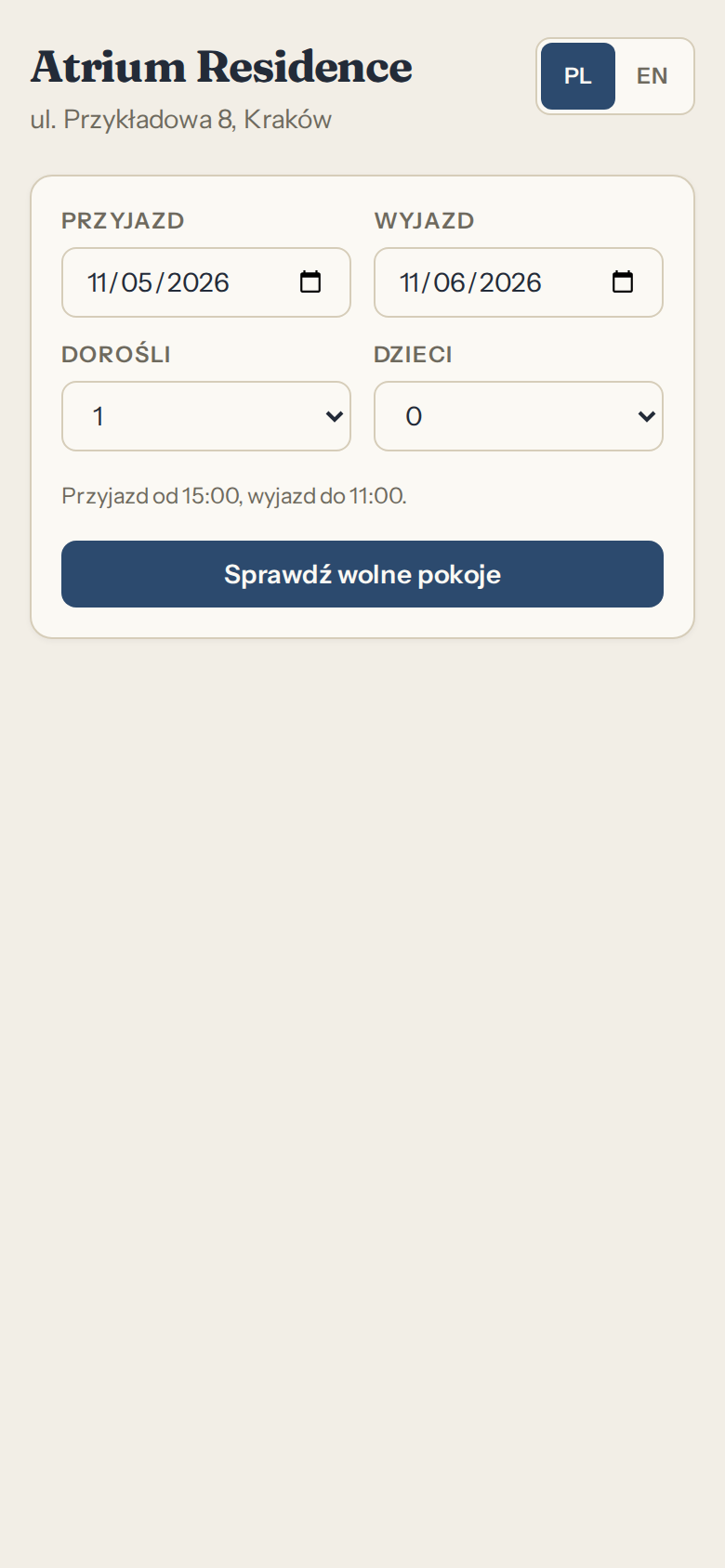
  • Confirm by hand in the panel, or let it confirm automatically
  • Paste a code into your website, or use the plain link if you have no site
  • Occupied dates from booking portals come in through iCal calendars, without prices
  • You can require a deposit by bank transfer: the guest gets the details and a deadline, and you record the payment in the panel
Atrium panel screen: Reservations on your website

Reservations on your website

-1Restaurant

The kitchen knows how many people are eating before anyone comes downstairs

The breakfast count comes from your bookings. The panel lists rooms with board for any day and adds up the covers. The Today screen also shows tomorrow's breakfasts, so you order bread from a number and not from memory.

  • A booking with breakfast, half board or full board lands on the list by itself
  • Cancelled guests and no-shows drop off it
  • The same screen shows who is working right now, according to the shift schedule

Today, Kitchen

Sample data
Total covers
12
RoomBoardPeople
201Bed and breakfast2
203Half board2
204Bed and breakfast1
101Full board2
102Bed and breakfast2
105Half board3

The waiter enters the order, the kitchen sees it on screen, and dinner goes on the room bill

An order from the restaurant, the bar or a room goes to the kitchen display. Each line has a status there: waiting, in kitchen, served, and the clock on the order changes colour when things take too long. The guest can pay right away, or charge dinner to the room and settle it on departure.
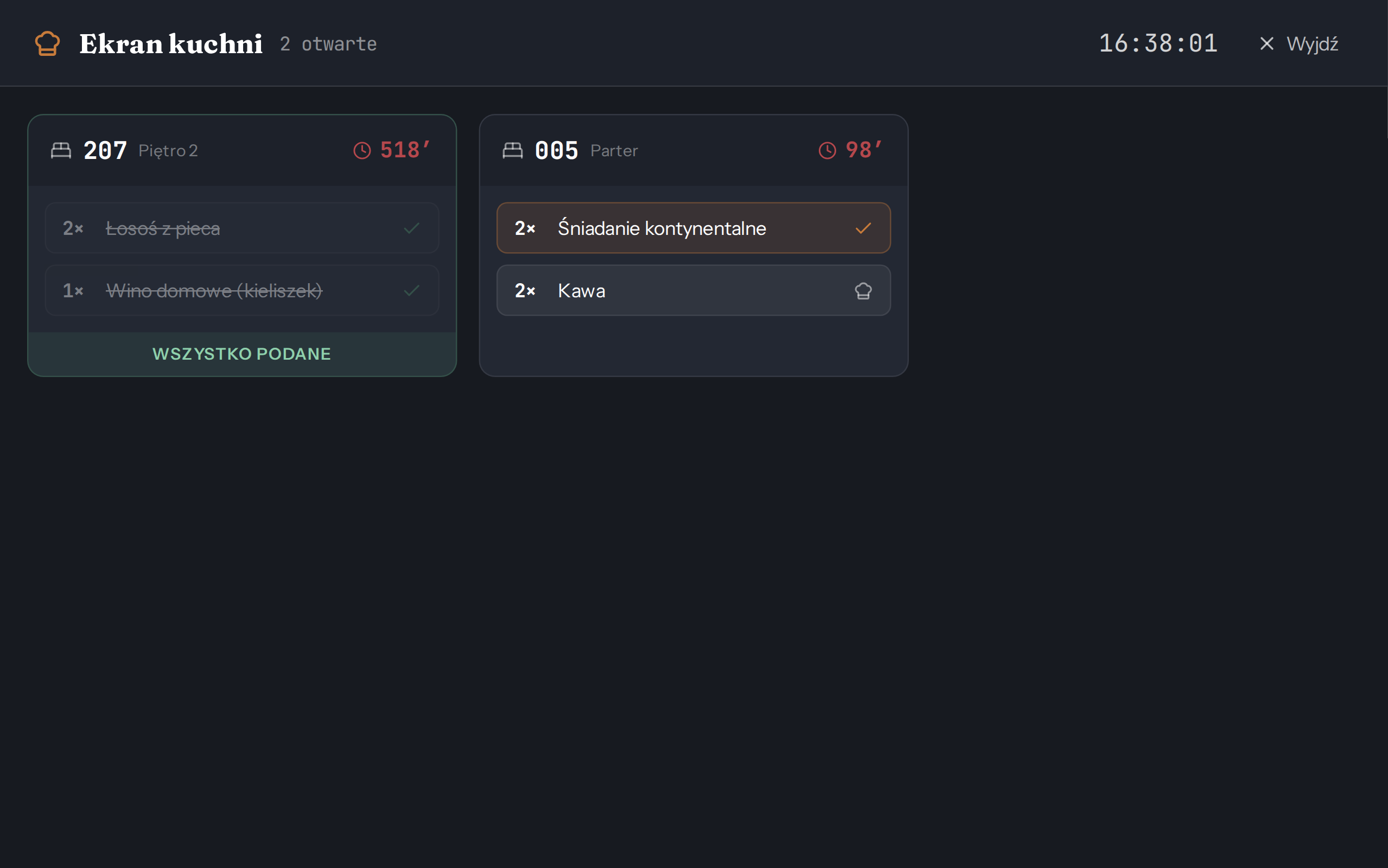
  • Allergens stored on every menu item
  • Low stock shows on the Today screen
  • Saturday's wedding sits in Events, with the room and seat count for your staff
Atrium panel screen: Restaurant and room service, Kitchen display

Restaurant and room service, Kitchen display

-2Basement, office

The fee for the municipality, with KT-1 and invoices next to it

From 1 January 2027, a Polish property in a municipality that has introduced a visitor fee collects it itself, keeps a register and files monthly information. The same day ends the limit that allowed invoices outside KSeF, the national e-invoicing system. KT-1 for the statistics office applies already, due by the 10th. The panel prepares the data for the fee and for KT-1, and filing stays with you.

Visitor fee, by the 15th

The register builds up at checkout. The panel works out the total collected, your commission for paying on time and the amount to pay, and prints the information or saves it as CSV. You file it and pay it yourself. This applies to properties in municipalities that have introduced the fee.

What changes on 1 January 2027

Visitor fee information

Sample data
Period
January 2027
Payer identifier
0000000000
Tax authority
Municipal office
Total collected
PLN 1240.00
Payer commission, 10%
PLN 124.00
Amount to pay
PLN 1116.00
Deadline
15 February 2027

Register

PersonRate or exemptionNightsAmount
Jan KowalskiPLN 3.002PLN 6.00
Anna KowalskaPLN 3.002PLN 6.00
Piotr KowalskiAccompanying person2PLN 0.00

KT-1, by the 10th

People, person-nights, platform nights, rooms sold and foreign guests by country are counted from bookings. You get a summary to copy across to the GUS reporting portal, and you file it yourself.

What the panel counts and what you enter

Summary for KT-1

Sample data
Period
January 2027
Deadline
10 February 2027

Section 4

TotalForeign tourists
Row 4: people staying869
Row 5: person-nights21224
Row 5a: platform person-nights6411
Row 6: rooms sold11813

Section 5: country of permanent residence

Germany
6
Czechia
3

A summary to copy across, not the GUS form

Invoices through KSeF

You issue a company invoice from the guest folio. It goes through the Fakturownia account your property holds, and the panel shows whether KSeF accepted it. At the end of the month you also get a supporting summary for your accountant: revenue by VAT rate, payments and the list of invoices.

How it works with your account

Invoice

Sample data
Invoice
FV/1/01/2027
Sale date
14 January 2027
Issue date
14 January 2027
Payment method
Card
Buyer
Example Company sp. z o.o.
Tax number
000-000-00-00
Nights, room 102, 12-14 January 2027
PLN 640.00
Dinner, restaurant order
PLN 148.00
Total
PLN 788.00

Accepted by KSeF

Inventory warns you before the coffee runs out

For each item you set an alert threshold, and a filter shows only low stock. The count of low items is also on the Today screen. On an adjustment you enter a reason and it goes into the activity history, and stock cannot go below zero, so after the season you can see why there are fewer towels.

Inventory and deliveries in the restaurant module

CoffeeLow stockTowelsBed linen

Sample data

FFoundation

You pay for the number of rooms, not for modules

Every tier has every module, from the floor map to the fee register. Tiers differ only in room count and team size.

  • Up to 10 roomsPLN 99Team: 5 peopleper month
  • Up to 25 roomsPLN 199Team: 15 peopleper month
  • Up to 60 roomsPLN 399Team: no limitper month
  • Every module
  • No booking commission
  • No setup fee
  • No annual contract
  • 30-day trial

Questions

Do I need to install anything or hire someone technical?
No. The panel runs in a browser, on a computer and on a phone. To start, you enter the property name, room types with a price and a range of room numbers such as 101-110, and the rooms lay themselves out on the floor map.
My bookings are in a paper diary. How do I move them?
Rooms go in as a batch, and you type bookings in by hand on the room chart. If you copy the diary into a spreadsheet, you can load rooms, guests and future bookings from a CSV file, and the panel checks every row before saving.
Do I have to leave Booking.com or Airbnb?
No. Occupied dates for each room are exchanged through iCal calendars. Prices and guest details stay on the portal. Atrium reads the portal every 15 minutes and the portal reads Atrium at its own pace, so this does not happen at the moment of booking.
Will the panel file the visitor fee and KT-1 for me?
No. The panel prepares the data: the register and information for the fee, and the summary for KT-1. You file the information with the municipality and KT-1 at raport.stat.gov.pl. You also make the payment to the municipality yourself.
Does the visitor fee apply to my property?
Only if it is in a place where the municipal council has introduced it. If not, leave the module switched off.
Does Atrium replace a fiscal cash register?
No. The panel does not connect to a register and prints no fiscal receipts. The cash report is your own list of payments, not a document from a fiscal register.
Will reception see my takings?
No. Reports and cash are for the owner and the manager. Staff check guests in, change housekeeping statuses and issue invoices, but cannot open reports.
What happens to my data if I leave?
The owner downloads an export of all property data with one button in settings, without writing to us. When a subscription ends, nothing is deleted by itself.